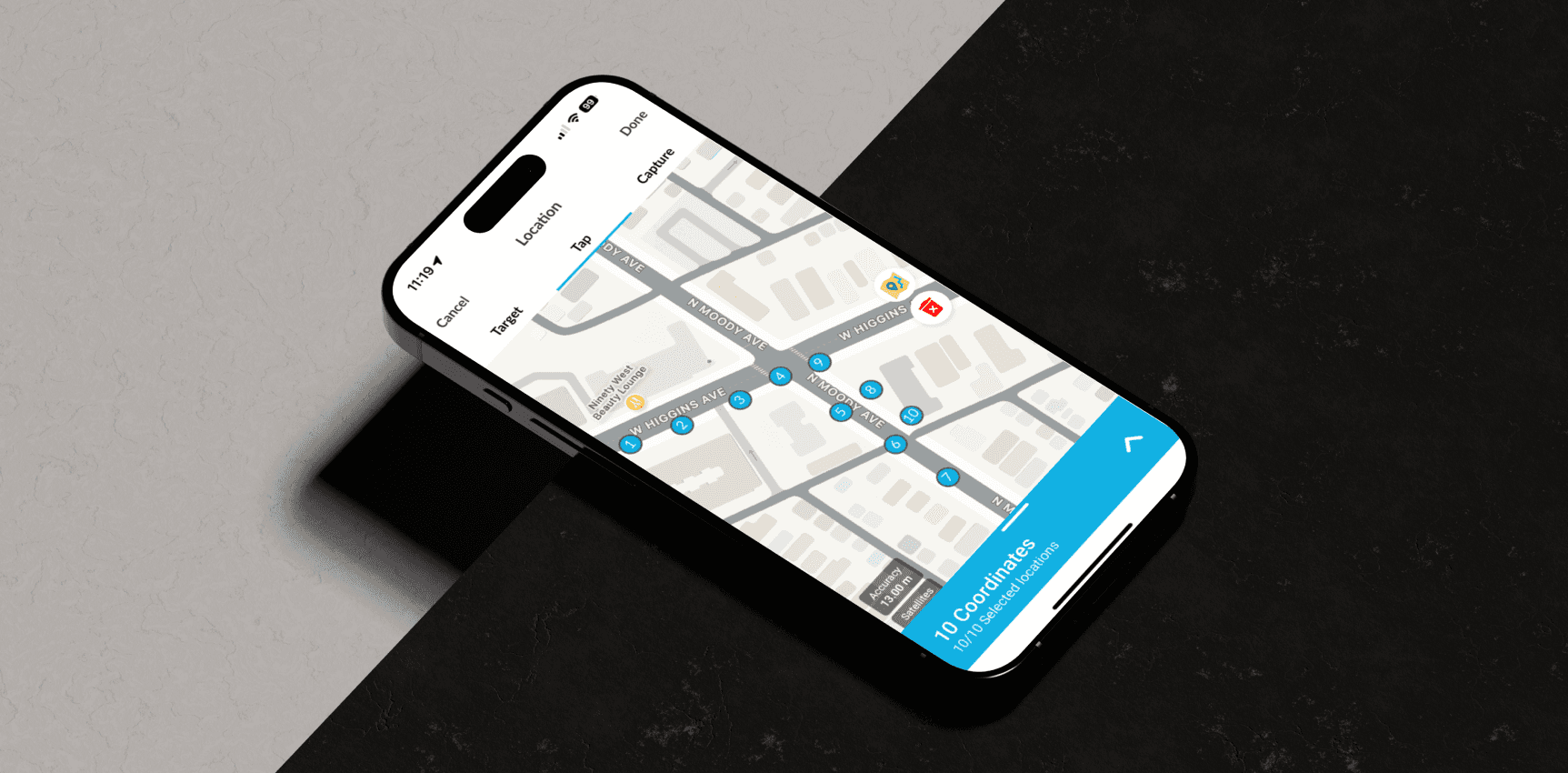
Streetlights 5.6.5
ROLE
UI/UX Design Lead
TEAM
Chip Hathaway, VP Product
Jon Willis, Director of Product Development
Kyle Goranson, Senior Software Developer
Mark Walsh, Full-Stack Developer
Vishakh Subramanian, Junior Software Developer
Evelyn Tse, Junior Software Developer
Sunil Karthick, Software Developer
Ramachandran, Software Developer
TIMELINE
Apr 2024 - Mar 2025
PLATFORMS
Web
Project Goal
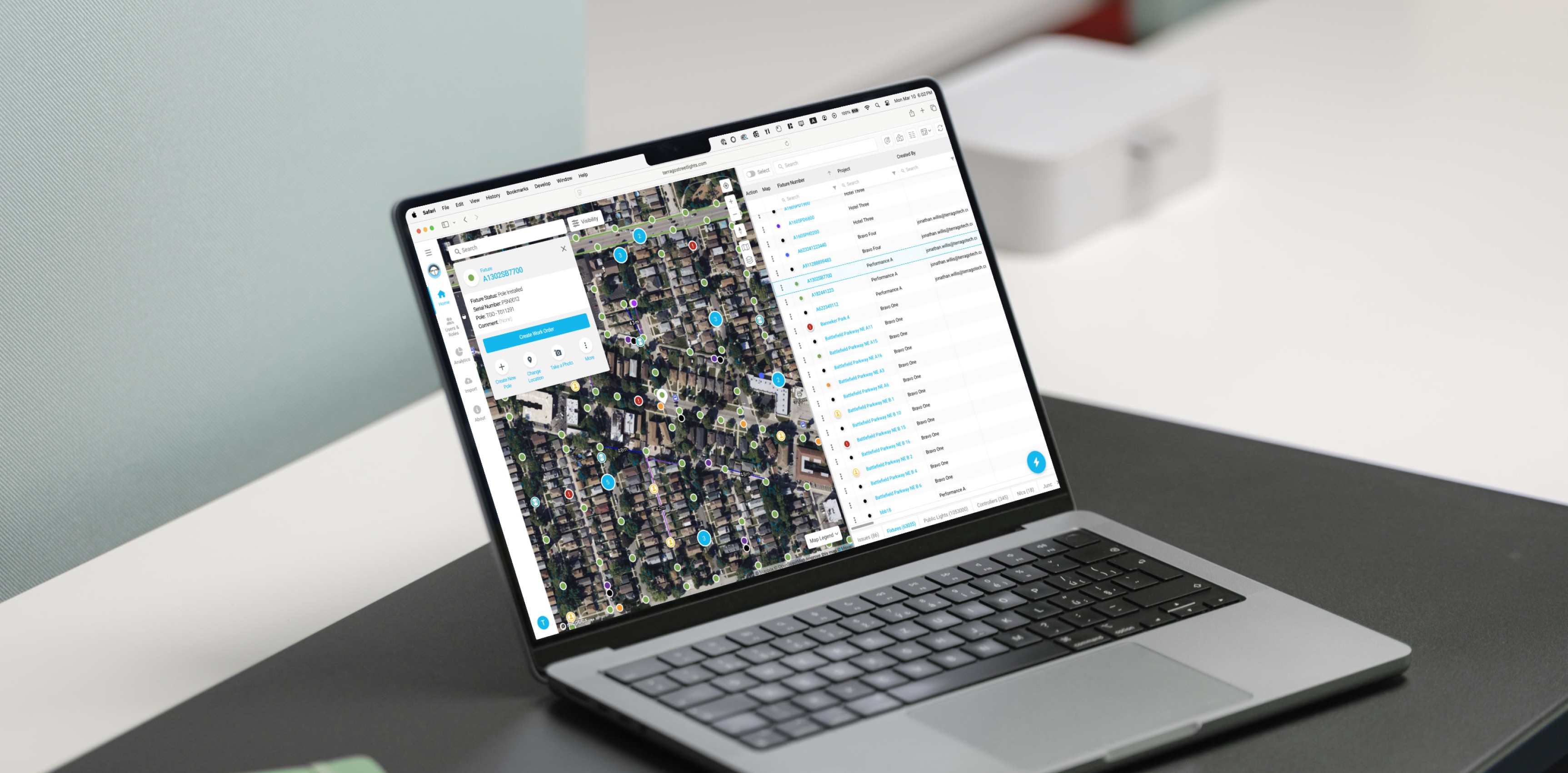
This project focused on modernizing the Streetlight Management Web App with a more intuitive, map-driven interface and advanced data tools. By emphasizing usability and operational efficiency, the redesign aimed to improve workflows for office administrators and provide a more effective solution for clients.
Slide left or right to compare
Process
Research
Collaborated with Project Managers and the product team to gather feedback and explore potential improvements to the system. Completed a competitive analysis and developed a user journey map to identify challenges users faced and areas where the experience could be improved. These discussions informed design changes aimed at enhancing user experience and operational workflows.
Insights Analysis
Enhanced Map Utilization & Interaction
Users rely on the map for viewing record data, highlighting the importance of a responsive, user-friendly interface. Improving map controls and simplifying interactions enhances the overall experience, making it easier to access and interpret the data.
Optimized Data Presentation & Accessibility
Users prioritize a well-organized and intuitive layout across tables, map cards, and asset pages, making key data easy to access and interpret. Refining these elements ensures information is clearly displayed, enhancing usability and improving overall data interaction.
Intuitive Workflow Design for Better Usability
Users value a consistent and well-organized workflow that minimizes cognitive load. Clear input areas, consistent design elements, and straightforward task flows help users quickly identify and complete tasks efficiently.
Seamless Cross-Device Experience
Users expect a smooth and consistent experience across devices, highlighting the importance of responsive design. Adaptive layouts and optimized performance across screen sizes ensure better usability and accessibility.
Design Flow
Focused on improving the app's usability by optimizing key tasks, enhancing data accessibility, and streamlining processes. This involved identifying areas for improvement, iterating on design concepts, and ensuring a smooth experience across devices. Collaboration with cross-functional teams ensured the design was aligned with both user needs and project goals.
Design Overview
The design overhaul enhances map usability, navigation, and data presentation. Streamlined controls and flexible layout options make it easier to manage information, while a consistent workflow reduces cognitive load. The responsive design ensures smooth adjustments across devices, delivering a seamless experience. These updates contribute to a more map-focused and intuitive interface, improving task flow and data accessibility.
Key Design Highlights
Enables clearer and faster access to asset records through a streamlined map interface.
Supports flexible data views for easier record comparison and review.
Uses unified interface patterns to simplify user input and maintain consistency throughout workflows.
Provides smooth usability across desktop and mobile with a dynamic, responsive layout.
Intuitive Interactive Map Experience
The redesigned user interface enhances map usability by improving organization and visibility. With streamlined controls and clearer options, users can now interact with the map more efficiently, focusing on relevant records with ease.
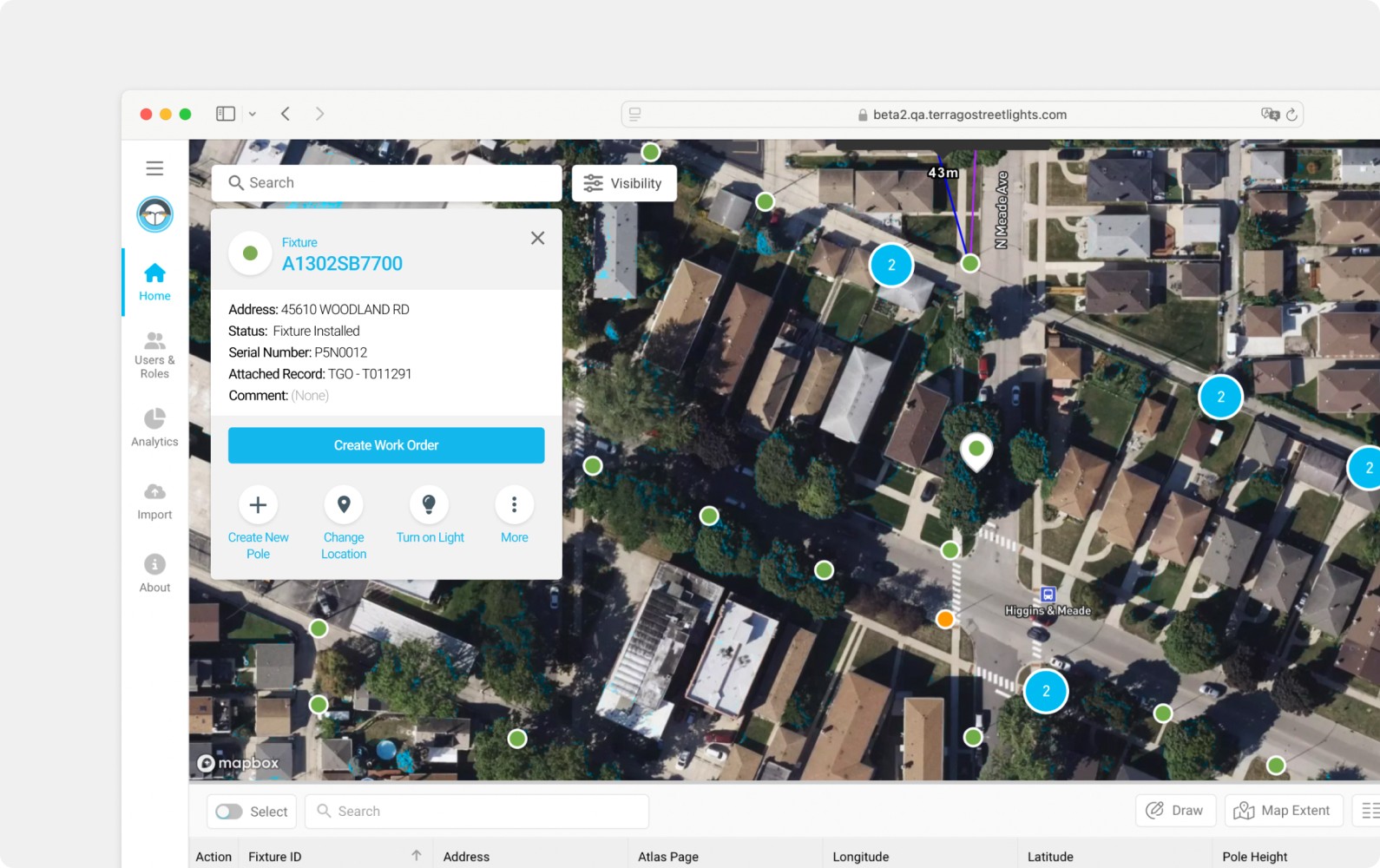
Map Card
The map card was refined for better usability. It now shows a map symbol to make record status easier to view, presents attributes more clearly, and updates the layout of the primary and secondary action buttons to make them more distinct and noticeable. When a record is selected, the card appears in the top-left corner to avoid blocking the pin’s location, with a distinct shape to indicate the selected state.
Map Controls
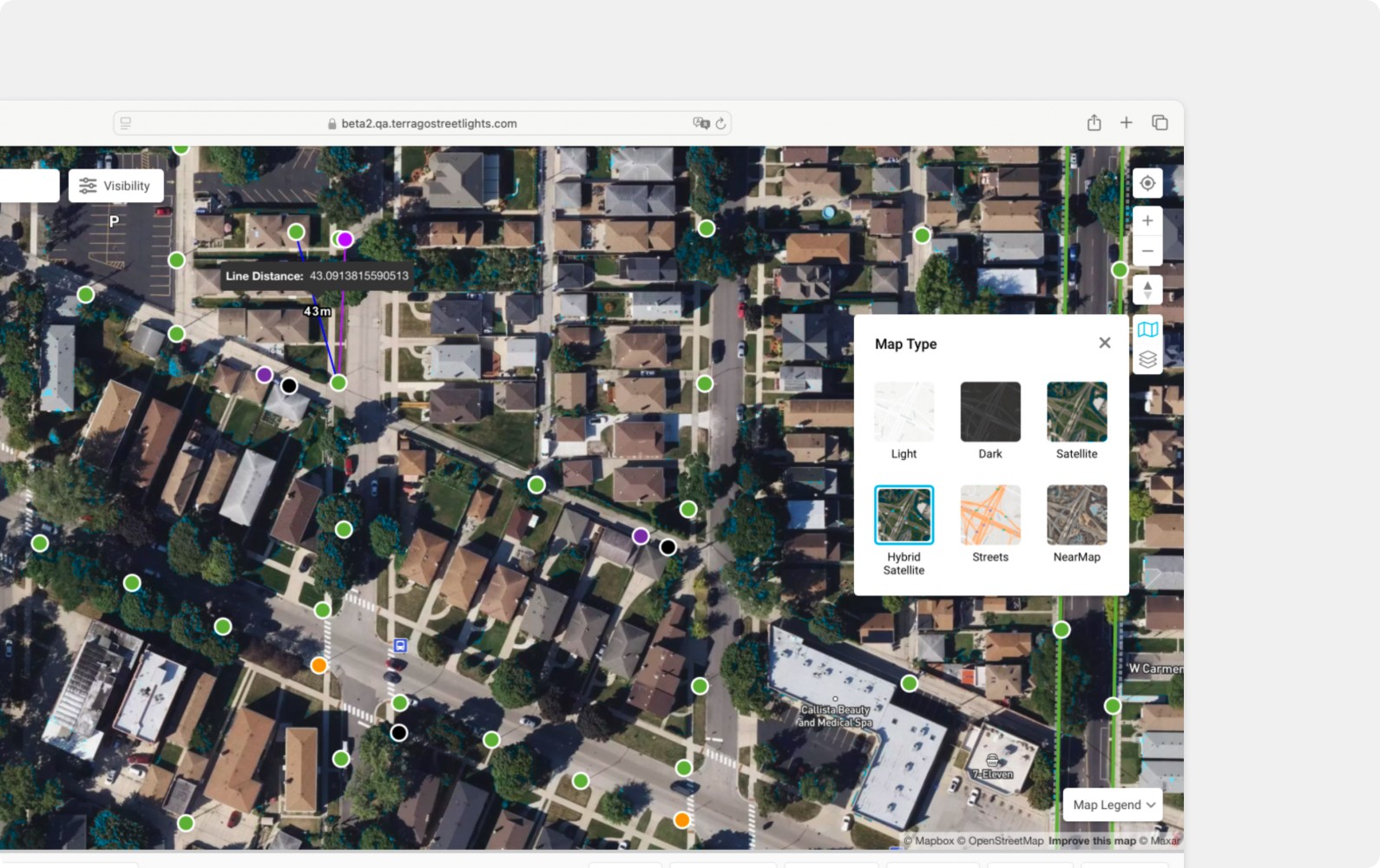
Map controls are now grouped by function in the top-right corner, making it easier for users to identify related actions. Users can access essential features like zoom and location tracking, or switch map types and toggle map components (clustering pins, map labels, and card view) directly on the map.
Global Search
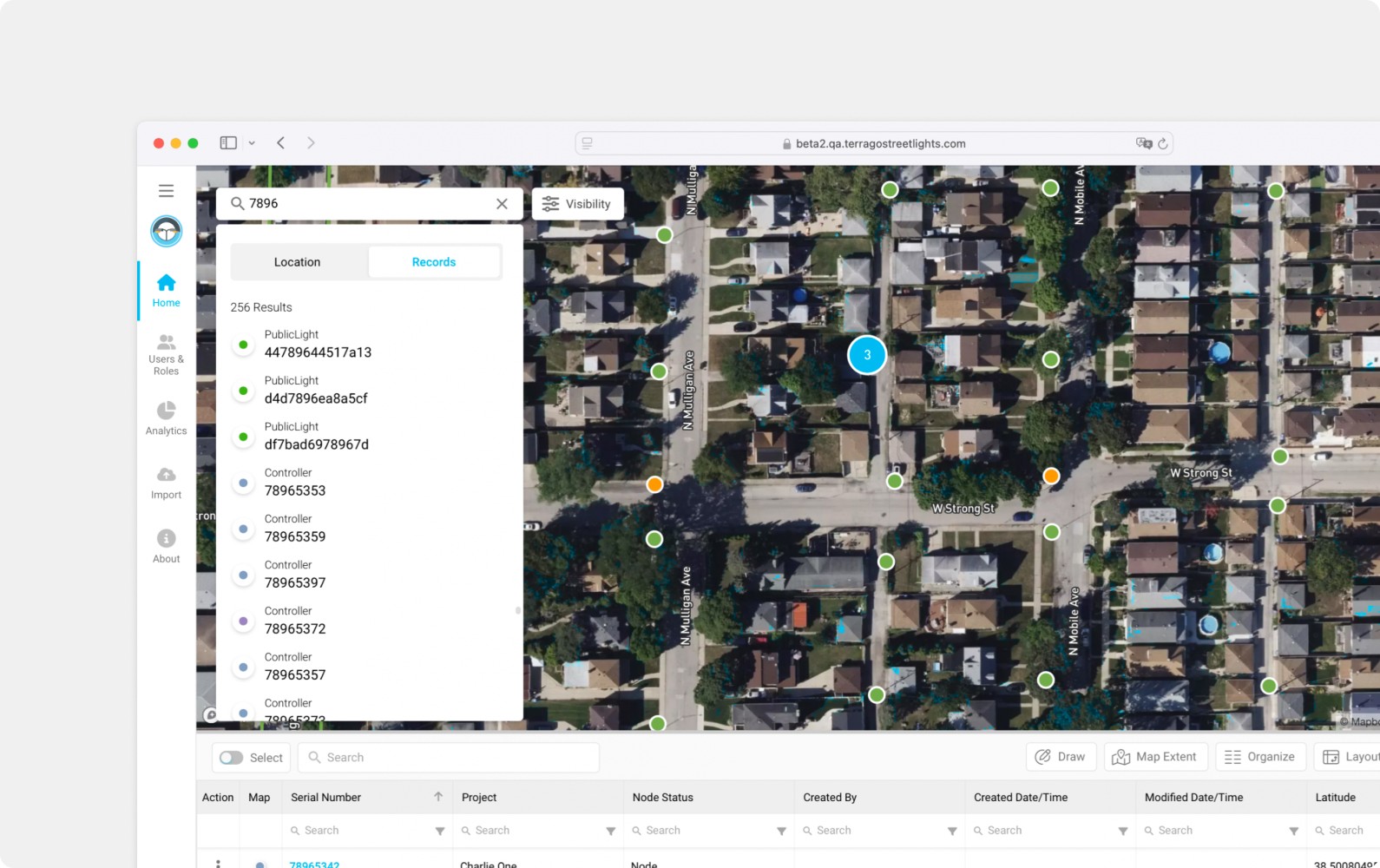
The global search now allows users to search for locations or entire records by switching between the location and records tabs, making it easier to find relevant information quickly.
Customizable Table Layout & Data Display
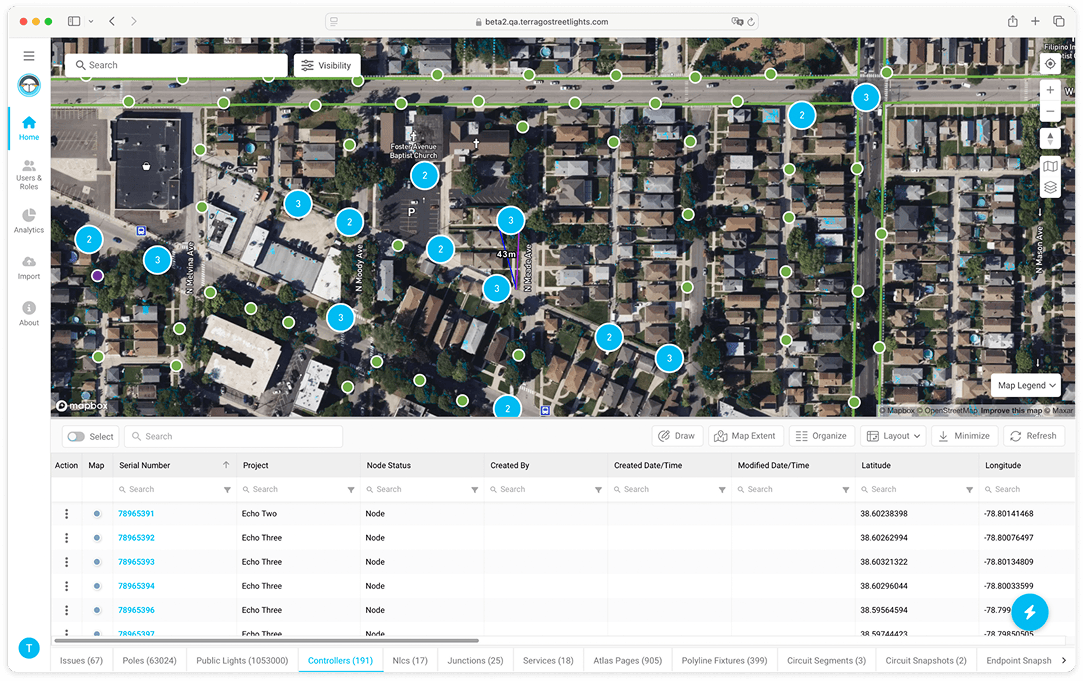
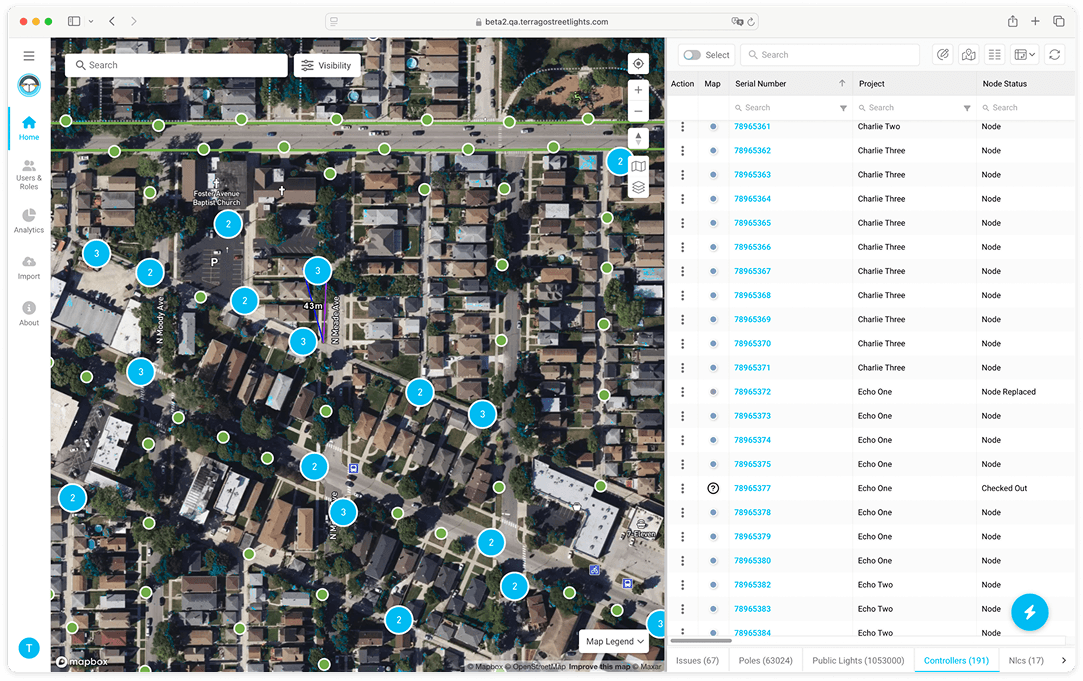
The design now offers more flexibility in data presentation, allowing users to customize the table view by choosing a horizontal layout for detailed attribute data or a vertical layout to scan multiple records at once.
Horizontal Layout
Default stacked view with the map on top and an expandable data table below.
Vertical Layout
New side-by-side view for map records and the data table.
Unified Workflow Design & System
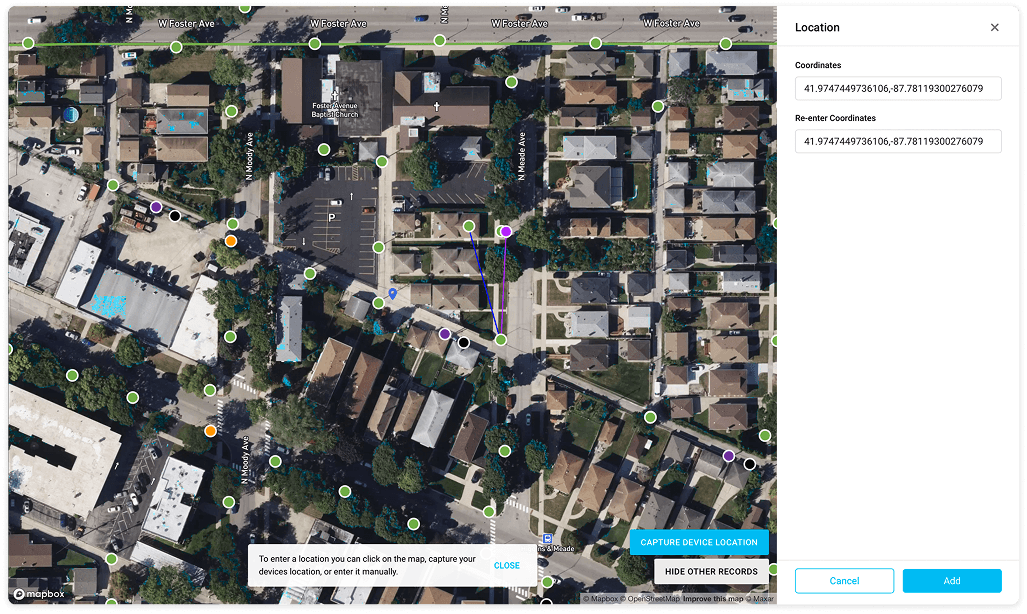
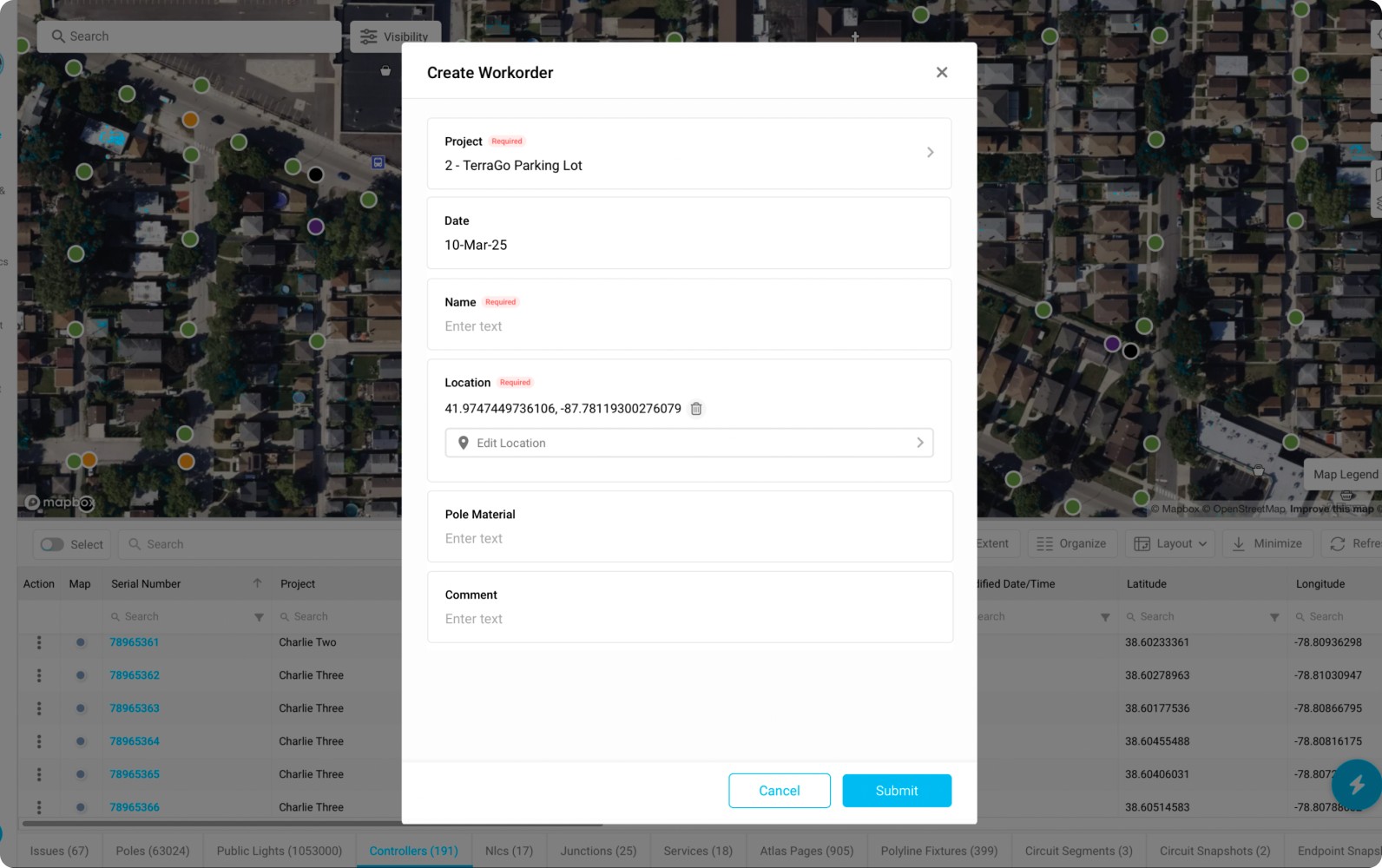
A consistent workflow and interface system were implemented to ensure uniformity across forms, reducing cognitive load through clear input areas and simplified task flows. The location selection modal was also redesigned to enhance user interaction and make better use of screen space.
Workflows Modal
Updated the form layout and elements to improve clarity. Inputs now sit in containers for better field and placeholder visibility, and the action button was moved and relabeled with clearer actions like ‘Submit’ or ‘Create.’
Location Selection Modal
Enables faster and more accurate location selection through an improved map screen layout.